

Introduction
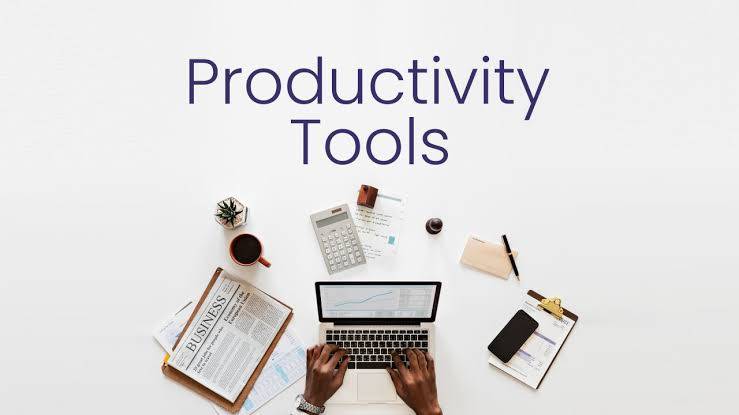
Individuals are using Digital Applications and Software (Productivity tools) to Manage Time, Organise Daily Tasks and Improve Work output. Work as well as Study Demands and Personal Goals (e.g. to get good grades in School) are all Time consuming and require effort and discipline. With timely reminders from Productivity Tools, individuals can better Focus on their Daily Activities and Complete Tasks in an Improved Manner.
There are several types of Productivity Tools
Such as: task management tools; note-taking tools; calendar planning tools; collaboration tool platforms and automation tools. The Prioritisation Process makes it easier to determine the sequence of when tasks should be completed.
They also provide a way to keep track of progress made towards task completion and reducing Distractions while Completing each task. By Using Appropriate Tools, Individuals can complete their Assigned Tasks Faster and with Greater Accuracy than if they did not use Productivity Tools.
Using the Correct Productivity Tool(s) will allow individuals to Save Time while Reducing Stress Levels in Working Toward Goal Attainment (e.g., Students, Employees and/or those who Work from Home).
By Using the Most Effective Productivity Tool Available/Selecting this Tool to Complete Daily Assigned Tasks and Focus on Projects on which they are working through to Completion; Individuals can be more Productive and Maintain a Healthy Balanced Daily Schedule.
By 2026, productivity tools have transitioned increasingly to be based primarily on automation and artificial intelligence (AI) frameworks and away from traditional Systems of organizing daily task(s)/to-dos manually. Many new systems utilize a level of AI assistance to automatically determine priority and due dates for all task(s).
Best Daily Productivity Tools for 2026
When it comes to daily automation-based scheduling of work, the following three tools will be at the top of your list:
Motion: an AI-based tool for daily automation of task management for maximum effectiveness. Motion automatically schedules your tasks to your calendar for optimal completion; accounts for your priorities and due dates for each task.
Saner.AI: A task management system designed specifically for high-information load, density, and fast-paced environments, as well as people with ADHD-style workflows. The AI technology in Saner.AI scans through your inbox every morning; then proposes an overwhelming number of organized daily tasks that you are able to convert in your mind into action.
Todoist: The “#1” application for simple task management, available across platforms. The task application provides its users the ability to enter new tasks via natural language (ex. “Email the boss tomorrow at 9 AM”).
Reclaim.ai: An AI-based system for protection of your personal time. Reclaim will automatically reserve time in your calendar to accommodate daily habits like exercise or uninterrupted work.
Sunsama: A daily “mindfulness” task planner that allows the user to select and implement tasks associated with other applications (such as Slack, Trello) for a planned and structured day.
Akiflow: An app designed for the “centralized” management of tasks from various productivity applications, including G-Suite, Notion, and Slack..
Tools that Automate Productivity
Meeting Assistance: Granola and Fireflies.ai processes recordings of meetings to transcribe and extract tasks from meetings eliminating the need to write them down.
Focus & Flow: Forest lets you earn points and grow a virtual tree while using your phone during productivity sessions. Freedom allows you to block the same websites across multiple devices.
Research/Note Taking: NotebookLM uses artificial intelligence to create an interactive Q&As from your documents making it easy to review your material.
Email: Superhuman provides the easiest way to manage busy inboxes using artificial intelligence-generated drafts and keyboard shortcuts.
These tools can help you complete your daily routines, achieve your goals, manage your calendar, and minimize distractions through the use of technology!
Task Management Tools
In 2026, the task management world has established an “autopilot vs. copilot” paradigm. Technology has gone beyond being a list on a screen and has developed into intelligent agents that are capable of automatically converting meeting minutes into tasks, forecasting risks in a project, and rearranging an entire day of meetings based on a change in plans.
AI Powered Autopilot
It has tools like time blocking and calendar management to minimize decision fatigue.
Motion: The best pick in the “hands-off” category. It allows prioritization of tasks based on deadlines and creates your daily schedule based on your meetings.
Reclaim.ai – The best tool for juggling work activities and personal habits (like exercise). Reclaim.ai protects “focus time” in a dynamic way and reschedules activities in available time slots as the day goes by.
Morgen: “Approve first” scheduler – perfect for people who like to have AI recommendations but still like to have final control over everything. Often hailed as being the number one scheduler in terms of ADHD-friendliness.
Those who oversee their daily schedules and work on projects without support from team members will find the best solutions through a variety of platforms.
Powerful productivity apps like Todoist are set to be the 2026 standard for ease of use and have a simple interface that allows users to enter tasks via natural language (i.e., “every Friday review report”) and uses basic AI tools to help break down large projects into manageable subtasks.
On the other hand, TickTick is a comprehensive “all-in-one” platform that features built-in Pomodoro timers, habit trackers, and Eisenhower matrix views to help users prioritize tasks based on urgency vs importance.
For Apple users, Things 3 is a popular tool that focuses on keeping your mind free from distractions by providing a simple but beautifully designed experience.
Asana and monday.com are project management tools for teams that are collaborating on complicated projects where there is a need to track dependencies and progress across multiple areas of responsibility.
Asana offers structured project management with the ability to use “Asana Intelligence” to help predict project risks and identify potential delays before they happen.
Monday.com is visually appealing and customizable and is designed specifically to allow teams to design their own workflows and create high-level dashboards of their overall project status.
Task management software is developed to make it easier for users to plan and track their tasks. Using this software, users are able to create to-do lists, set deadlines, and schedule tasks according to their importance. Users are also able to keep track of all tasks in one place to prevent forgetting tasks.
Task management systems have features such as reminders, tracking, and collaboration capabilities. They can be applied by students to work with their assignments; otherwise, they will help professionals in planning projects and deadlines. The use of such systems will assist in dividing tasks into smaller actions, making work simpler and less stressful to accomplish.
Using tasks management tools can improve productivity and time management. The tools alleviate stress levels since one can plan for the tasks and time required. Through regular practice, tasks management tools can enable one to concentrate and meet deadlines and perform daily tasks effectively.
Time Tracking Apps
For users who want to see how many hours are being used throughout a day, time tracking applications track the amount of time spent on various activities throughout the day. They record hours worked, time spent studying, and time taken for breaks to give users a comprehensive view of where their time is going. Knowing this allows users to become aware of wasting too much of their time and being able to make ways to be more efficient with the hours in a day.
Users are able to start and stop timers, categorize their tasks, and create reports with just most of today’s time applications. If a student wants to track when they have studied, or if a professional worker wants to track the amount of time that they are working on projects, they can utilize these applications. With the help of these applications, users can recognize distractions, and identify which tasks are consuming the most amount of time.
By consistently using a time tracking application, users will have better control over their schedule. Time tracking applications promote making better use of one’s time and increasing worker concentration, and allowing users to develop realistic goals. Ultimately, many businesses look to increase their productivity, and time tracking applications provide users with the ability to do just that.
As per 2026, time tracking has moved from using conventional timers to using artificial intelligence-powered “silent” time tracking solutions that automatically track activities on apps and websites. The solution is intended for time tracking without the need to click the clock icon to start and stop the time tracking process.
Artificial Intelligence-Powered
These apps work in the background to help your work be categorized using AI without human input.
“Timely allows you to record everything you work on in a ‘Memory’ engine powered by AI. This has the advantage of auto-populating time sheets which you then only need to approve,”
TMetric: “An automation-first tool that logs every switch and idle time interval to provide a flawless timeline.” Their one-click invoices and payroll exports make TMetric highly prized in the advertising and marketing communities.
RescueTime: Most useful for productivity coaching. Tracks what you do digitally and offers a ‘Productivity Pulse’ rating. In 2026, it offers ‘Focus Sessions’ powered by AI that can block distracting websites according to your objectives.
Best Tools for Freelancers and Solo Professionals
Freelancers use our tools to help them track billable hours and create invoices using easy-to-use cloud-based software, reducing the amount of time it takes to bill clients and create invoices.
Harvest-Designed with a billing-first workflow, Harvest allows users to track time against their project budget and provide professional invoices to their clients from their tracked hours.
Here are the three best options in this category:
Toggl-Provides ease of use through its web, desktop, and mobile apps. Offers a robust free plan for up to 5 users and provides users with “one-click” tracking functionality on a variety of devices.
Harvest-Designed with a billing-first workflow, Harvest allows users to track time against their project budget and provide professional invoices to their clients from their tracked hours.
My Hours-A clean and simple time-tracking app, My Hours is frequently recommended for those looking for a minimalist design without all the bells and whistles found in many other tools.
Best Tools for Remote and Field Teams
Remote teams and field teams have a unique set of requirements, and our tools provide specialized features for these types of teams, like GPS location tracking, attendance tracking, and more. Here are three of the best tools available for these teams:
Hubstaff-The best all-in-one solution for managing a remote workforce. Offers a comprehensive solution for tracking time and attendance, as well as GPS location tracking, optional screenshot proof-of-work (in case of an employee’s absence), and automated global payroll.
Jibble-The best choice for attendance and physical teams. Provides a simple way for employees to clock in using facial recognition and GPS, and it prevents “buddy punching.” Also integrates directly with Microsoft Teams.
Clockify-For teams on a budget, Clockify continues to be the only major time-tracking tool to offer unlimited users and projects on its free plan, as well as paid add-ons for GPS tracking and invoicing.
Note Taking Tools
Note-taking applications allow the user to effectively capture and review the gathered information. Almost every student and professional uses this device for noting down the important pieces of information during lectures and meetings. Digital note-taking has many benefits in storing all the gathered pieces of information in one place.
Most of the note-taking applications have text formatting features, folders, search functionality, and cloud syncing capabilities. You can add images, links, or checklists to your notes that can be presentable and understandable too. Some of them have collaboration capabilities where you can share your notes with others.
Note-taking tools are learning and productivity tools that are helpful for remembering a significant amount of information. Such tools are helpful for remembering information and save time as opposed to writing information down in physical notebooks. Using the note-taking tool will bring positivity to learning.
Today, note taking has morphed from just being digital word files into what is referred to as an individual’s “personal knowledge management” system (PKM). The modern tools available today have shifted the way an individual organizes a set of disconnected notes into a cohesive whole or “second brain” by making use of bi-directional linking and artificial intelligence to support the concept of “networked engagement”.
The leading three Ecosystems of the year 2026
Notion – is an ideal platform for people who want an inclusive workspace for managing notes, databases, and project management. Notion will employ its built-in AI technology to act as a virtual assistant that can summarize entire databases, draft and generate written content, and answer questions related to your private Notion workspace.
Obsidian – is by far the number one option for anyone looking for a note taking tool that provides both personal privacy and long-term sustainability. All notes are stored locally, using the Markdown format, which is available on every PC, laptop, and mobile device that you own. The Graph View feature enables a clear visual representation of the many connections that exist between thousands of notes through the use of bi-directional links.
Microsoft OneNote – is considered to be the best option for those who prefer to have both unlimited workspace to take notes and the flexibility of handwritten notes. OneNote’s new 2026 Microsoft Copilot integration allows users to automatically create summaries of handwritten lectures and also allows for the creation of task lists directly from their handwritten notes.
AI-Native & Academic Tools
These tools have indeed been designed to go through tons of information and provide ready study materials.
Google NotebookLM: A research-first tool, for uploading up to 50 sources-essentially PDFs, docs, and websites. Its AI is “grounded” in your data, meaning it will answer questions only from the specific sources you have provided.
RemNote: It is an ideal app for learning and long-term retention. It automatically sets your notes up as flashcards, using spaced repetition algorithms to make sure it reminds one of reviewing them just before one would have forgotten.
Mem: The leader in self-organizing notes. It employs AI to remove the requirement for folders or tags; you simply “dump” information in, and the AI automatically links related notes and surfaces them when they become relevant to your current work.
Note-takers specializing in specific fields
Heptabase and Kosmik are perfect for visual thinkers, as both offer endless canvas areas where you can position your notes spatially-in one way, like physical desks-and work very well with complex planning and visual research.
The privacy-first: Anytype and Logseq are open-source, local-first alternatives that do peer-to-peer encryption to ensure your “second brain” is absolutely private.
Reflect is fast and minimalist, allowing you to capture fast and easily taking notes daily with an encrypted Daily Note workflow directly embedded in your calendar.
Tools for Meeting & Voice Notes
Otter is the standard for live transcription. It is a bot that joins Zoom and Teams to provide real-time captions and automated summary of meetings.
Granola is a newer and no bot alternative for Mac users. Granola records audio privately from the meeting and uses AI to improve the rough notes you take.
AudioPen is the quickest way to convert your messiest voice rants into beautifully structured text notes.
Automation Tools
With automation tools it is possible to automate repetitive tasks which in turn opens up additional time allowing for less manual tasks. These tools can help provide more efficient means of performing those day-to-day functions such as email management, organizing files, scheduling events and synchronizing information across multiple platforms. With these tools individuals are now able to devote additional time and energy towards their most critical and creative work.
In addition, automation tools allow different types software applications/services to work together in an automated manner (i.e., adding new tasks to a task list or saving files automatically or executing an automated action when triggered by a predetermined event). This means less errors will occur and efficiencies will be realized in terms of workflow productivity.
Overall, utilizing automation tools yields much higher levels of productivity and significantly reduces the need for repetitive tasks. Automation reduces stress levels on individuals and creates a more structured time management process. The result of correctly using automation tools will allow for faster completion of daily activities, which ultimately leads to increased productivity.
In 2026, automation has advanced from “if this then that” to AI-orchestrated automation. Current automation tools employ “AI agents” to reason through complex processes, adjust to changing data inputs, and run automated business flows in thousands of applications.
AI Agent Platforms (Autonomous Automation)
These tools represent “the new standard for 2026,” and empower you to create specialized digital team members instead of simply linking different applications.
“Lindy: Best Overall for Role-Based AI Agents. It has to deal with unstructured work such as handling email threads, meeting schedules by CC’ing, and lead qualify — things that typical automation thinks are “too messy”.
Zapier Central: Great for non-technology savvy users. An AI assistant is created by simply describing what a user does. This APIs over 8,000 applications in automating activities such as lead enrichment and support requests.
“Marlie Ai”: An AI system for phone receptionist services for businesses that provide services. This AI responds instantly, that is, within less than two seconds, makes appointments, and receives payment, thus carrying out the major entry interface for clients with accuracy.
“11x.ai” : Helps sales teams. Offers “digital workers” (such as “Alice AI SDR”) which independently schedule prospecting and appointments round-the-clock.
No-Code Workflow Connectors will continue to be the backbone of fragmented SaaS ecosystems.
Zapier: The most established solution for connecting multiple applications. With the new “Copilot” feature, users can easily build complex Zaps by typing in chat, along with the “Tables” and “Interfaces” features, allowing users to develop their own internal business systems without needing to write any code.
Make (formerly known as Integromat): The best solution for complex visual logic. It enables users to utilize a drag-and-drop canvas to create complex, visual rules, including branching and looping, rather than simply lining up events in a linear list like Zapier. Use of Make for creating high-volume, multi-step scenarios is considerably more cost-effective.
IFTTT: IFTTT is the most effective solution for personal use and smart home automation. It allows for the easy creation of simple and one-to-one “Applets” to control IoT devices (such as “If my camera detects motion, turn on the lights”).
Developer & Technical Tools are the best options for teams that want to maintain full control and privacy and require the execution of custom code.
n8n: The best solution for privacy-conscious organizations. This open-source workflow automation tool can be hosted privately or in the cloud. It allows unlimited execution of workflows without any per-task fee.
CrewAI: This is a cutting-edge framework for multi-agent orchestration. Developers can now coordinate “crews,” composed of various agents (such as a Researcher, Writer, and Editor), to accomplish a single complex goal.
Pipedream: A code-first platform that enables developers to author steps using Node.js or Python code, offering more flexibility than traditional no-code platforms regarding custom API development.
Enterprise-Class
It is designed for organizations that require strict security and handle heavy data.
Microsoft Power Automate: It is a must-have solution in any Microsoft 365 setup.
It is deeply integrated into Microsoft Teams, Excel, and Azure, and comes with features like RPA (Robotic Process Automation) for legacy applications.
Workato: High-end iPaaS service providers for carrying out critical integrations between different departments of an organization, emphasizing governance and security for their mid-market and enterprise customers.
I’ve Tried 50+ Productivity Tools — Here are My Top 9 By Buffer
You might also be interested in reading:
4 Best Free AI Tools Everyone Should Use
How AI Tools Improve Productivity
How Online Tools Increase Work Efficiency
Conclusion
By 2026, the definition of a “productive day” has shifted from how many tasks you can check off to how effectively you can manage your focus and energy.
The tools mentioned within these categories denote a transition away from manual information insertion and toward AI-driven orchestration. Be it you seek an “autopilot” that manages your schedule, like Motion, a “second brain” to store your knowledge, like Obsidian, or an autonomous agent at your beck and call, like Lindy, handling your emails for you-the objective of all new productivity software is exactly the same: to eliminate the “work about work” so you can concentrate on the high-leverage, creative, and strategic work.
Getting Started Recommendation
If choices overwhelm you then start with the following as a “Core Stack” for 2026:
The Foundation: Use Motion for your task list and calendar. Let AI decide when you work.
The Archive: This is where you will store your long-term project and notes; you can use Notion or Obsidian.
The Optimizer: Automate tasks by using Zapier to connect your favorite apps so they communicate directly with each other, without your interference.
Productivity tools are very important elements that help people organize their daily tasks & become more efficient in approaching their work.
The types of productivity tools are:
Task management applications (TMA), Time tracking applications (TTA), Note-taking applications (NTA), Automation applications (AA). Such productivity tools help people organize their way of approaching work & utilizing time.
Such tools basically have different functions concerning the whole task completion procedure, be it planning a task, time management, time tracking, or repetitive task automation. Effectiveness of these kinds of tools will therefore result in reduced levels of stress, elevated levels of focus, enhanced capabilities of the individual in accomplishing tasks more efficiently (whether academics or professional), and higher levels of performance in both aspects.
If the person chooses the right productivity tools to suit his needs and uses those to manage his time and workload, he would have the best possible chances to achieve his objectives in the best possible way while also sustaining an effective balance between his business and personal activities. In general, productivity tools play an important part in person’s time management, workload, and success in his day-to-day activities.


Pingback: AI in Online Businesses: 7 Powerful Ways Driving Growth