

Introduction
The Internet is a global network that interlinks millions of computers and devices globally. The Internet allows users to share information, communicate instantly, or use any services like websites, emails, social media, online videos, and many more.
The Internet has become an important part of life in the modern world, as it supports education, business, entertainment, and communication.
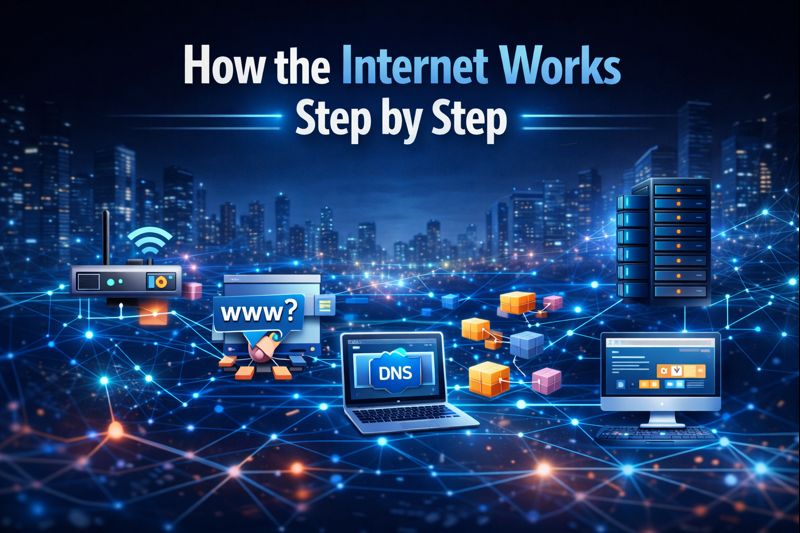
The Internet works by connecting multiple networks through standardized sets of communication rules called protocols.
When a user opens any website, a device sends a request via an ISP to special servers that house the website data. This request travels through cables, routers, and data centers at extremely high speed.
Once the request reaches the right server, the latter sends back the needed information to the user’s device.
The information is packetized into smaller pieces, transmitted over diverse routes, and then reassembled on the screen. And, all this within seconds, thus enabling users to browse the Internet in the quickest manner possible.
Connection (Client to ISP)
Your adventure starts when your computer/device (client machine), using a wireless mode named Wi-Fi or through an Ethernet cable, connects to a network. The network is connected to the internet through an Internet Service Provider referred to as AT&T or Verizon.
Modem
It decodes your computer’s digital signals so that they can transmit through the ISP’s system.
A router: This refers to a device that helps in the transmission of traffic from personal devices to the internet.
DNS Lookup (Finding the Address)
When you write the URL google.com, your browser does’t use these characters. Your browser needs to identify the IP Address of the server from these characters (172.217.24.238).
“The browser requests a Domain Name System (DNS) server, commonly known as the “phone book of the internet,” to resolve the domain name and provide its corresponding IP address,” explains Anatoly Shar
Making a Connection (The Handshake)
Now that the IP address is determined, your computer goes ahead and initiates a TCP Handshake so that both the client and server are ready to initiate a reliable session.
If a site is secured (https://), then a TLS handshake takes place to protect your connection.
What Is Internet?
The Internet is a global network that interlinks computers, mobile phones, and other online devices. The Internet enables users to share information and converse with each other immediately.
Using the Internet, one can visit website pages, send e-mails, view video materials, socialize through social networking sites, and access any information needed from anywhere in the world.
The Internet is made up of connected devices using various networks with cables, satellites, or Wi-Fi. The networks operate a set of rules known as protocols that ensure information is transmitted safely and accurately.
A user requests information from a website by opening it, and information is retrieved from the Internet and brought to the user’s device.
Today, the Internet has become a vital part of our lives. The Internet has applications in education institutions, offices, health institutions, as well as in entertainment.
The Internet has resulted in speedy communication, learning, and a global village.
Difference between The Internet and the World Wide Web:
The Internet is the hardware and protocol structure of everything we see on the Internet today, while The World Wide Web (WWW) is an application that runs over this hardware and protocol structure. The Internet can be thought of as a large network of roads and the WWW is like the vehicles and products that travel on these roads.
The Internet has evolved into a “lived experience” as of the beginning of 2026 with the addition of devices that are connected to each other via the Internet (IoT – Internet of Things), telecommuting and virtual Reality.
Servers and Clients
The basic structure of how the world wide web operates consists of servers and clients, which represent two of the key components involved in web access. Clients refer to those devices (i.e., computers, smartphones, tablets) that request and receive information or services over the Internet. On the other hand, Servers, represent much larger computing systems used for storing data and Web pages or applications and responding back to the client requests.
When a client (browser) is trying to reach/visit a specific webpage server, it sends a request to the server over the Internet. After the server receives the request, the server processes the request and sends the required data back to the client. For instance; when you are using your browser to access or “open” a specific Web page, your browser is acting as the client while at the same time, the computer associated with that specific Web page is acting as the server.
Servers typically are built to run continuously and support multiple clients with their requests concurrently. The client/server interface relies on the servers to provide the client with the requested data, and in order for the client to receive that data from the server, the server must be connected to the Internet. In conjunction with each other, the client/server architecture is critical to the success of the World Wide Web.
The client-server model is the established infrastructure for performing all forms of digital transactions and communications via the internet. This includes web browsing, online gaming, and cloud-based artificial intelligence services.
Client (Requestor)
A client is any computer device or program that begins a conversation with a server by requesting a specific resource or service.
For Example: Web Browsers—Chrome, Safari; Mobile Applications; Email Programs—Outlook; Smart Home Devices.
Characteristics of a Client:
Initiates Action: A client sends a request before communicating with a server.
User-Interface: Clients are concerned with the “front end” of the communication, so they provide a graphical user interface (GUI) for a user to present information.
Hardware: Clients can be thin or thick. Thin clients rely on the capabilities of servers to perform processing. Thick clients perform most of the processing locally but are limited in their ability to handle processing.
Server (Provider)
A server is a powerful computer or a specialized software application, purpose-built to “serve” many clients concurrently. Servers process requests from clients and return data to clients.
For Example: Web Servers—Nginx, Apache, Database Servers—MySQL, Gaming Servers—Minecraft, Blizzard.
Characteristics of a Server:
Passive Listener: A server remains “on” (active) and waits for incoming requests.
High Performance: Servers are often located in data centres and equipped with high-performance (CPU/RAM/storage) hardware to handle large workloads.
Data Transfer Process
Data transfer is how you send data from one computer to another over the Internet when you want to do something with that data, such as view a web page or send a message to someone.
To do this, the sender creates and sends a data packet via the Internet to the receiver, then routes and switches the packet to its final destination.
While in the process of transferring data, the data is divided into smaller pieces called “data packets.”
These packets take different paths as they travel to their destination via routers and switches and are sent according to specific rules called protocol to ensure that the packets arrive at the destination correctly and in the correct order.
How Digital Data is Transferred over the Internet
Digital data is transferred from one location to another via Internet Protocol. The Internet Protocol does this using a set of highly efficient rules called Packet Switching. In 2026, Packet Switching rule sets will include Transmission Control Protocol/Internet Protocol (TCP/IP).
When files are too big to send in one single block, the source device will now break the data down into smaller, manageable packets.
Packet Maximum Size: Normally, 1,500 bytes maximum for individual packets.
Packet Structure: Each packet consists of 2 components — a Header (addressing where, along with why it is being sent) and a Payload (what it is).
Packetization
As data moves through the TCP/IP protocol model, each layer of the TCP/IP protocol model generates a layer of “envelopes” surrounding that data.
Application Layer: Formats the data by using an application-specific format (HTTP, or SMTP, for example).
Transport Layer: Using TCP or UDP, adds sequence numbers for putting that packet back together in the proper sequence at the receiving end.
Internet Layer: Uses the numerical IP address for routing packets to their destination.
Network Access Layer: Provides the MAC address for local delivery of packets to and from the physical network.
Role of ISPs
By 2026, ISPs have become the main portal used by individual users for data traffic to gain access to the Internet infrastructure. The last mile of physical connectivity is primarily the responsibility of an ISP.
Examples include fibre optics to users’ homes, 5G towers, etc.
ISPs are also responsible for traffic management and routing of packets through AI-driven systems, taking the fastest routes to users, along with determining bandwidth allocation based on tiered subscription levels and providing IP addresses for devices to communicate with each other.
ISPs have also developed into security hubs by providing real-time threat mitigation through DDoS protection, etc. ISPs are essential to modern life in digital form, therefore, ISPs have much visibility into user actions; many times, the ISP will log a user’s browsing history and/or metadata in order to perform billing, support, and for legal purposes.
Internet Service Providers connect people to the internet using a variety of methods, for example, fibre optics, wired cables, and satellite connections.
When a customer visits someone’s website or sends data to them, their ISP transmits the customer’s request and the resulting data back and forth between the customer’s computer and the destination server at a certain level of speed and reliability.
Among other things, ISPs provide customers with email, website hosting, and network security; as well as managing internet usage or traffic on their networks and providing access to the network resources needed to build a stable and fast internet connection.
Users have all of these capabilities available from ISPs so that they can easily navigate the World Wide Web, communicate via email, and take advantage of a wide range of digital services.
You might also be interested in reading:
AI vs Human Intelligence Explained Simply
What Is Cloud Computing Explained for Beginners
AI Myths and Facts You Should Know
What Is Digital Footprint and Why It Matters
Conclusion
Essentially, the Internet is an impactful network system which links people, computers, and information worldwide. In various ways, through the use of various servers and Internet clients, the process of information flow, and the Internet Service Provider, the Internet functions effectively to transmit information quickly.
Every element in the Internet is necessary for the purposes of communication. The server is the one that gives access to data, the client requests the data needed, ISPs are the ones that provide different connections to the Internet, and data transfer is the process by which information is directed to the right destination.
In the modern world, the Internet has engulfed all of human activity and has become an integral element of everyday life. Its applications in communication, education, business, and entertainment continues with the help of advancements in technology.
Now, with new technologies such as AI-native infrastructure and ultra-low latency protocols becoming common, the prime mechanics of the internet, including connectivity, DNS TTL, or packet switching, form the prime foundation for internet-based communication.
To understand this enables people to comprehend how exactly an internet click becomes a global journey.


Pingback: 7 Powerful Cloud Computing Benefits Explained for Beginners